Send WhatsApp messages with one API call
Link your WhatsApp number by scanning a QR code, create an API key, and send messages from any app, website, or script — no official WhatsApp Business API required.
- No Business API approval
- Set up in 2 minutes
- Bulk send up to 250 per request
How it works
From sign-up to first message in three steps.
- Step 1
Create an account
Sign up at wp.zyrosys.com with just an email and password.
- Step 2
Scan the QR code
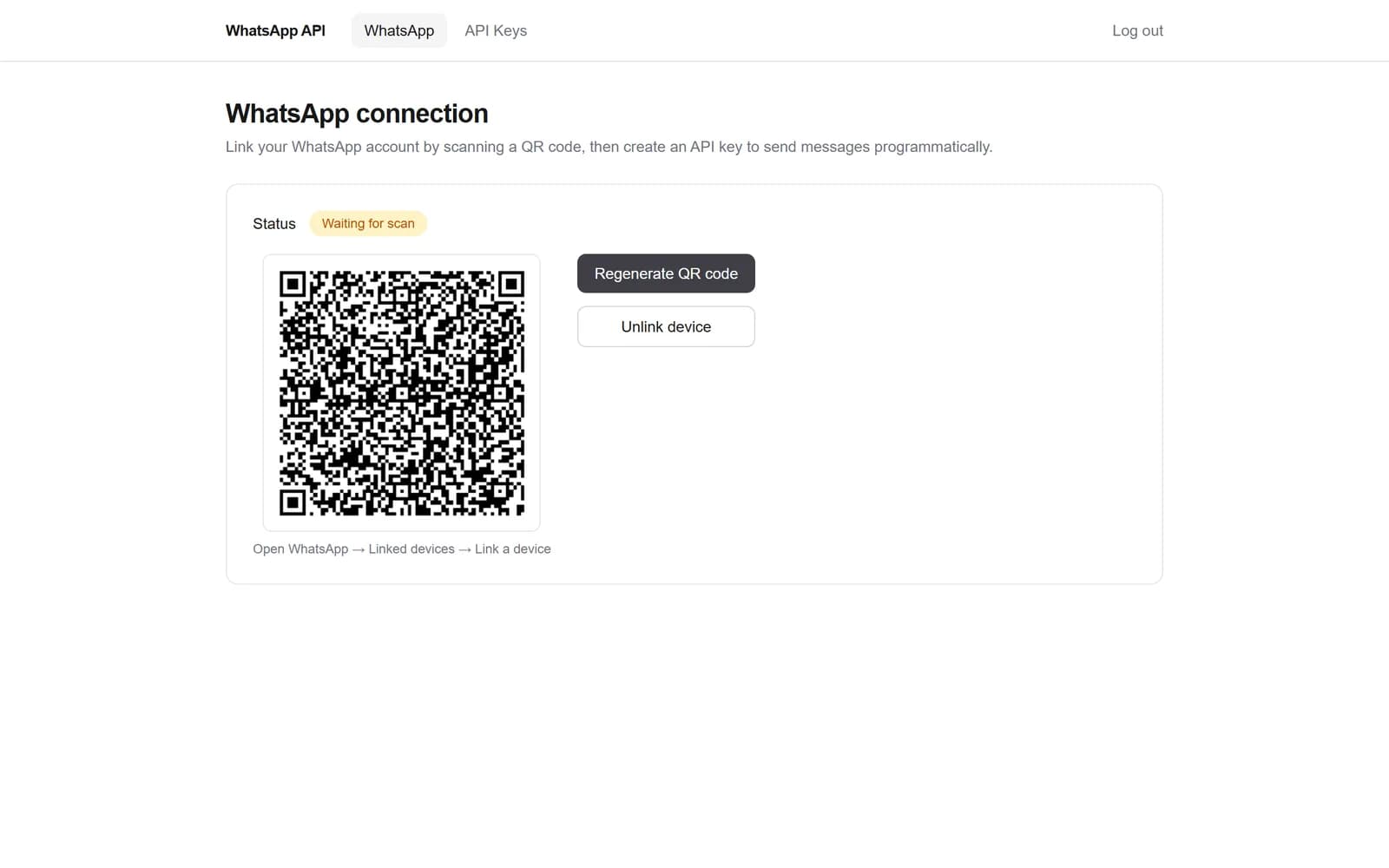
Open WhatsApp → Linked devices → Link a device, and scan the code on your dashboard.
- Step 3
Call the API
Create an API key and send messages with a single POST request from any language.
Inside the dashboard
Everything you need, nothing you don't.
Two screens: one to link WhatsApp, one to manage API keys.
Features
A WhatsApp gateway that just works.
Link with a QR code
Connect your existing WhatsApp number in seconds — no Meta Business verification, templates, or approval process.
Named API keys
Create as many keys as you need (production, staging, per app), see when each was last used, and revoke any key instantly.
One simple endpoint
Send a text message with one POST request to /api/v1/send and get the WhatsApp message ID back.
Bulk sending
Send the same message to up to 250 numbers per request, or a personalised message to each recipient.
Per-recipient results
Bulk responses report sent and failed counts plus a result for every number, so one bad entry never fails the batch.
Persistent sessions
Your linked device is saved — reconnect from the dashboard without scanning again, or unlink it whenever you want.
Developer API
One endpoint. Three ways to send.
Authenticate with the X-API-Key header and POST JSON to /api/v1/send. Phone numbers need the country code — no + required.
curl -X POST https://api.wp.zyrosys.com/api/v1/send \
  -H "X-API-Key: wpk_your_api_key" \
  -H "Content-Type: application/json" \
-d '{"to": "8801XXXXXXXXX", "message": "Your order #1042 has shipped!"}'{
"success": true,
"message_id": "3EB0C431D5A2...",
"timestamp": "2026-10-09T10:00:00Z"
}- Endpoint
- POST /api/v1/send
- Auth header
- X-API-Key: wpk_…
- Bulk limit
- 250 messages / request
- Not connected?
- 409 — scan the QR first
Use cases
Reach customers where they already are.
Automate the messages your customers actually read.
- Order confirmations
- Delivery updates
- OTP & login codes
- Appointment reminders
- Payment receipts
- Form submission alerts
- Server & uptime alerts
- Internal team notifications
- Booking confirmations
- Abandoned cart nudges
FAQ
WhatsApp API questions.
Do I need the official WhatsApp Business API?
No. You link your existing WhatsApp number as a linked device by scanning a QR code — no Meta Business verification, message templates, or approval process.
What kinds of messages can I send?
Text messages to individual phone numbers. You can send one message, the same message to many numbers, or a personalised message to each recipient in a single request.
How many messages can I send in one request?
Up to 250 messages per bulk request. Each recipient gets its own result, so a single invalid number does not fail the rest of the batch.
How should I format phone numbers?
Include the country code, e.g. 8801XXXXXXXXX. The + sign, spaces, and dashes are optional — they are stripped automatically.
How many WhatsApp numbers can I connect?
One WhatsApp number per account. You can create as many API keys as you like for that number — for example one per app or environment.
What happens if I need to disconnect?
Click "Unlink device" on the dashboard and the session is removed from both our side and your phone's linked devices list. You can link again at any time.
Is there anything I should be careful about?
Because messages are sent from your own number, follow WhatsApp's terms: only message people who expect to hear from you and avoid unsolicited bulk messaging, which can get a number restricted by WhatsApp.
More from Zyrosys
Explore our other product.
Need a custom WhatsApp integration?
We can wire the WhatsApp API into your store, CRM, or internal tools for you.